Design → Recipe
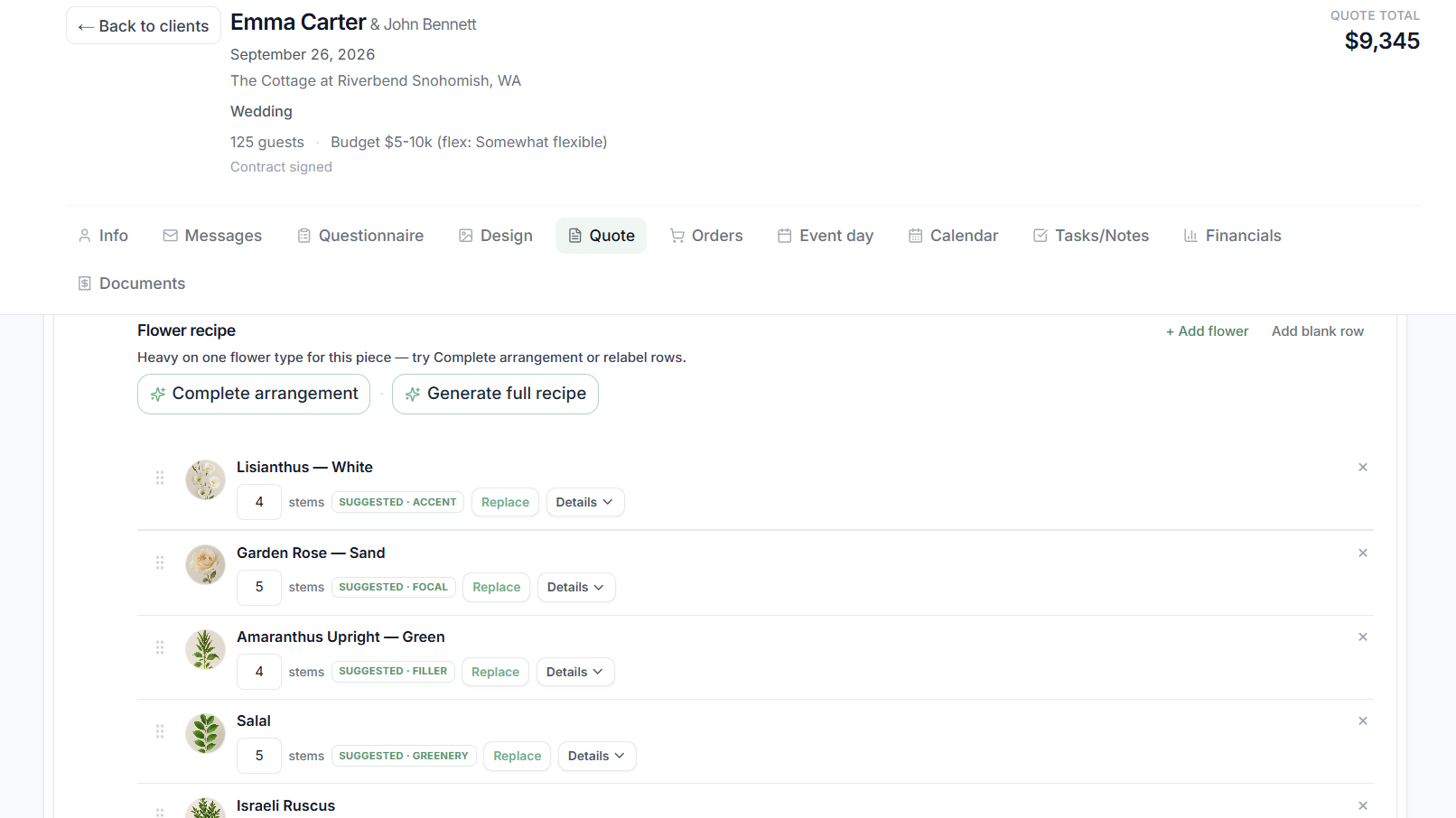
The flowers you designed are already on the recipe.
You count stems for the arrangements on this wedding. You are not copying the design into a separate recipe file.

Switching florist software
Don't move your entire business just to find out whether Stemly works for you. Put one real wedding through it—from the client and design through recipes, flower ordering, production, and event day.
Use a wedding you're already working on. Then decide.
The fastest way to know whether Stemly fits your studio is to use one actual upcoming wedding. Follow it from the client through event day, and see what you no longer have to retype.
Add the client details, floral direction, colors, flowers, and the ceremony and reception plans. That is the wedding you design, price, and produce.
Choose the flowers and arrangements while you are looking at the wedding: the palette, ceremony, reception, quantities, images, and descriptions.
Those arrangements, quantities, images, descriptions, and prices become the proposal the client sees. You can mark a line optional. The client chooses whether to include it, and the total updates.
The flowers already chosen for the wedding are there when you turn each arrangement into a recipe. Stemly totals the stems across the wedding.
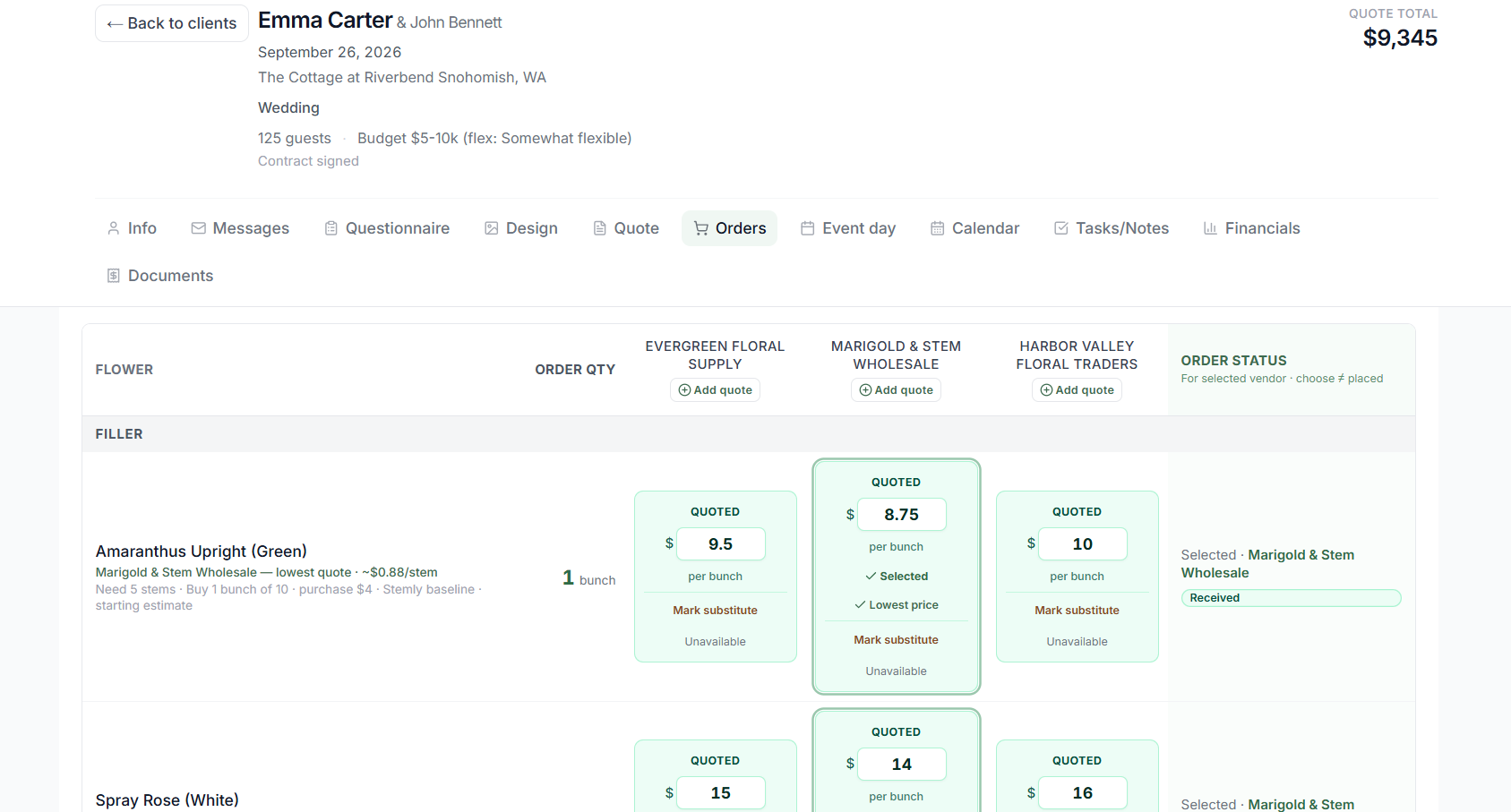
See the stem quantities the wedding needs. Compare the prices your wholesalers quoted for this wedding, then decide what to buy and from whom. These are your quotes, not a shared price list.
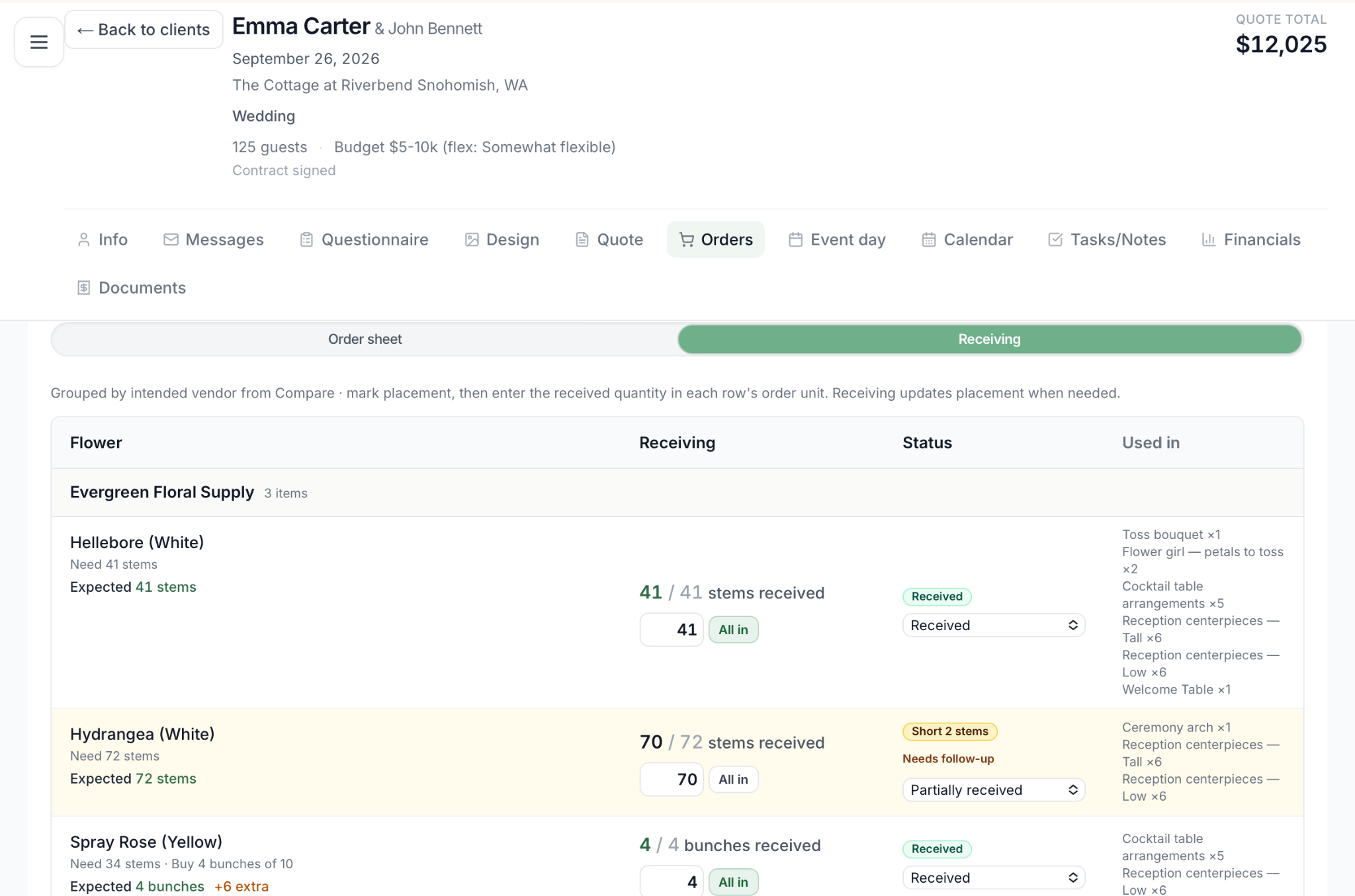
Record what arrived against what you ordered. If you ordered 100 roses and 90 arrived, you record 90. The shortage stays visible.
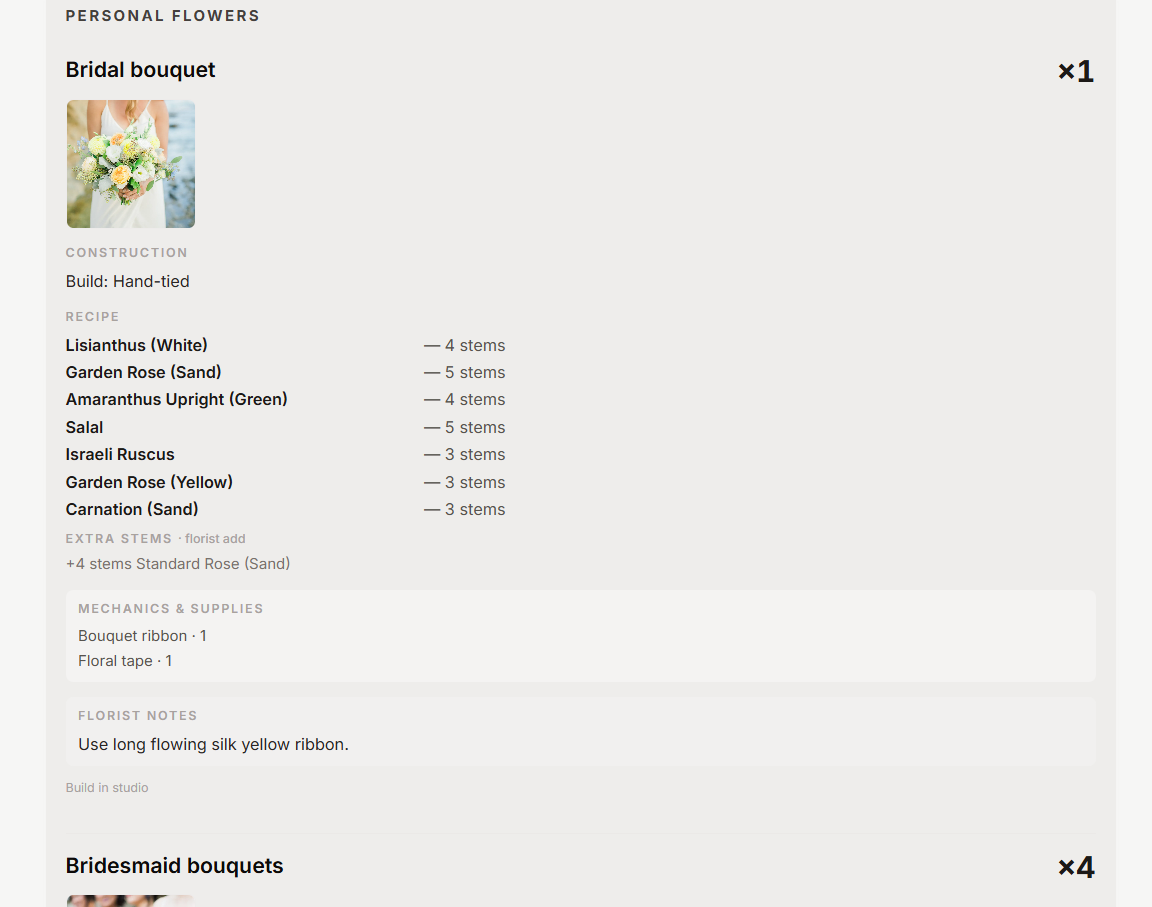
Work from arrangement quantities, recipes, mechanics, and florist notes. You can print a production worksheet. It does not include client prices.
Pack from the sold wedding, with vehicles, crew, locations, timing, and setup. The plan is already on the wedding when the morning starts.
The wedding is often split across a CRM record, a spreadsheet, notes, a proposal, recipes, wholesaler orders, and a production document. Each time it moves from selling into production, someone types it again.
You do not need to move years of old weddings into Stemly before it is useful. Start with the wedding in front of you. Stemly carries that wedding from the client and the design into the proposal, the recipes, the flower order, receiving, production, packing, and event day.
These are the handoffs where florists usually start over. In Stemly, the earlier work is still there.
Design → Recipe
You count stems for the arrangements on this wedding. You are not copying the design into a separate recipe file.
Recipe → Flower order
Stemly adds those recipes into the stem quantities for the wedding. You compare your wholesalers' prices, then plan the purchase.
If you already know the recipes and only need the stem total, use the wedding flower order calculator. It does not require an account.
Order → Receiving
You check flowers in against the order. A shortage stays visible. You are not matching a delivery to a separate list.
Sold wedding → Production and event day
Quantities, recipes, mechanics, and florist notes are the production plan. Packing, vehicles, crew, locations, timing, and setup stay on that wedding.
Stemly is not the right test for every florist. It is worth one real wedding when the work after the proposal is where your current tools stop.
There is no reason to spend days importing an entire business before you know whether the workflow fits. Stemly does not import your old weddings.
Choose one real wedding. Put it through Stemly. Use the 14-day trial to see what happens after the design is sold.
No. Stemly does not import your old weddings. Start with the wedding you are working on now. You do not need years of past weddings in Stemly before the workflow is useful.
Yes. The 14-day trial is there so you can put one real wedding through Stemly: the client, the design, the proposal, recipes, stem quantities, wholesaler quotes, receiving, production, packing, and event day. Then decide.
Stemly keeps the client and the wedding, and it carries arrangements, recipes, stem quantities, wholesaler quotes, receiving, production, packing, and event day. It is built for producing the flowers, not only for storing contacts and tasks.
For the wedding you put in Stemly, recipes total the stems, you compare the prices your wholesalers quoted, and you record what arrived. You do not retype that wedding into a separate quantity sheet. Stemly does not import an existing spreadsheet.
The sold arrangements, quantities, and recipes stay on the wedding. You plan the flower order from those recipes, compare your wholesaler pricing, and record what arrived. Production uses quantities, recipes, mechanics, and florist notes. A printed production worksheet does not show client prices. Packing, vehicles, crew, locations, timing, and setup stay on that same wedding.
Yes. Stemly is built for wedding and event florists, around the floral work from the inquiry through event day.